


Nokia C30 Combo and Folder with Frame (100% Original)
Availability: In Stock
₹1,526
Seller Specification of Nokia C30 Combo and Folder with Frame (100% Original)
Product Specifications
- Product Type: LCD Display + Touch Screen Combo with Frame
- Compatibility: Designed specifically for Nokia C30
- Material: High-quality LCD and digitizer touch screen
- Color Options: Available in Grey, Black, White, and Green
- Condition: Brand new, 100% original
Applications
- Screen Replacement: Ideal for replacing a broken, cracked, or scratched screen on the Nokia C30.
- Touch Functionality: Restores full touch functionality, ensuring smooth and responsive touch interactions.
- Display Quality: Maintains the original display quality, including brightness, color accuracy, and clarity.
- Cost-Effective Repair: Provides a cost-effective solution for repairing the Nokia C30 without needing to purchase a new device.
- DIY Repairs: Suitable for users who prefer to perform DIY repairs, thanks to its easy installation process.
- Professional Repairs: Also ideal for professional technicians and repair shops looking for reliable replacement parts.
Installation
- Preparation: Ensure you have a clean, static-free workspace and the necessary tools (e.g., screwdrivers, plastic prying tools).
- Power Off: Turn off the Nokia C30 and remove the SIM card tray.
- Disassembly: Carefully open the device using a plastic prying tool to avoid damaging the frame.
- Remove Old Screen: Disconnect the battery and remove the old, damaged screen by detaching the connectors.
- Install New Screen: Connect the new LCD and touch screen combo to the motherboard. Ensure all connectors are securely attached.
- Reassembly: Reassemble the device by reversing the disassembly steps. Make sure all screws are tightened and the frame is properly aligned.
- Testing: Power on the device and test the new screen for functionality, including touch responsiveness and display quality.
- Final Steps: Once confirmed, secure the screen and reinsert the SIM card tray.
For best results, it’s recommended to have the installation done by a professional technician, especially if you are not experienced with mobile device repairs. This ensures the screen is installed correctly and reduces the risk of damage to the device.
- New

Nokia C20 Plus Combo and Folder with Frame (100% Original)
Availability: In Stock
₹1,526
Seller Specification of Nokia C20 Plus Combo and Folder with Frame (100% Original)
Product Specifications
- Product Type: LCD Display + Touch Screen Combo with Frame
- Compatibility: Specifically designed for Nokia C20 Plus
- Material: High-quality LCD and digitizer touch screen
- Color Options: Available in Black, White, and Blue
- Condition: Brand new, 100% original
Applications
- Screen Replacement: Ideal for replacing a broken, cracked, or scratched screen on the Nokia C20 Plus.
- Touch Functionality: Restores full touch functionality, ensuring smooth and responsive touch interactions.
- Display Quality: Maintains the original display quality, including brightness, color accuracy, and clarity.
- Cost-Effective Repair: Provides a cost-effective solution for repairing the Nokia C20 Plus without needing to purchase a new device.
- DIY Repairs: Suitable for users who prefer to perform DIY repairs, thanks to its easy installation process.
- Professional Repairs: Also ideal for professional technicians and repair shops looking for reliable replacement parts.
Installation
- Preparation: Ensure you have a clean, static-free workspace and the necessary tools (e.g., screwdrivers, plastic prying tools).
- Power Off: Turn off the Nokia C20 Plus and remove the SIM card tray.
- Disassembly: Carefully open the device using a plastic prying tool to avoid damaging the frame.
- Remove Old Screen: Disconnect the battery and remove the old, damaged screen by detaching the connectors.
- Install New Screen: Connect the new LCD and touch screen combo to the motherboard. Ensure all connectors are securely attached.
- Reassembly: Reassemble the device by reversing the disassembly steps. Make sure all screws are tightened and the frame is properly aligned.
- Testing: Power on the device and test the new screen for functionality, including touch responsiveness and display quality.
- Final Steps: Once confirmed, secure the screen and reinsert the SIM card tray.
For best results, it’s recommended to have the installation done by a professional technician, especially if you are not experienced with mobile device repairs. This ensures the screen is installed correctly and reduces the risk of damage to the device.
- New

Realme Narzo 60X Combo and Folder with Frame
Availability: In Stock
₹1,709
Seller Specification of Realme Narzo 60X Combo and Folder with Frame (100% Original)
Product Specifications
- Product Type: LCD Display + Touch Screen Combo with Frame
- Compatibility: Specifically designed for Realme Narzo 60X
- Material: High-quality LCD and digitizer touch screen
- Color Options: Available in Black, White, and Green
- Condition: Brand new, 100% original
Applications
- Screen Replacement: Ideal for replacing a broken, cracked, or scratched screen on the Realme Narzo 60X.
- Touch Functionality: Restores full touch functionality, ensuring smooth and responsive touch interactions.
- Display Quality: Maintains the original display quality, including brightness, color accuracy, and clarity.
- Cost-Effective Repair: Provides a cost-effective solution for repairing the Realme Narzo 60X without needing to purchase a new device.
- DIY Repairs: Suitable for users who prefer to perform DIY repairs, thanks to its easy installation process.
- Professional Repairs: Also ideal for professional technicians and repair shops looking for reliable replacement parts.
Installation
- Preparation: Ensure you have a clean, static-free workspace and the necessary tools (e.g., screwdrivers, plastic prying tools).
- Power Off: Turn off the Realme Narzo 60X and remove the SIM card tray.
- Disassembly: Carefully open the device using a plastic prying tool to avoid damaging the frame.
- Remove Old Screen: Disconnect the battery and remove the old, damaged screen by detaching the connectors.
- Install New Screen: Connect the new LCD and touch screen combo to the motherboard. Ensure all connectors are securely attached.
- Reassembly: Reassemble the device by reversing the disassembly steps. Make sure all screws are tightened and the frame is properly aligned.
- Testing: Power on the device and test the new screen for functionality, including touch responsiveness and display quality.
- Final Steps: Once confirmed, secure the screen and reinsert the SIM card tray.
For best results, it’s recommended to have the installation done by a professional technician, especially if you are not experienced with mobile device repairs. This ensures the screen is installed correctly and reduces the risk of damage to the device.
- New

Realme Narzo N63 Combo and Folder with Frame
Availability: In Stock
₹1,770
Seller Specification of Realme Narzo N63 Combo and Folder with Frame (100% Original)
Product Specifications
- Product Type: LCD Display + Touch Screen Combo with Frame
- Compatibility: Specifically designed for Realme Narzo N63
- Material: High-quality LCD and digitizer touch screen
- Color Options: Available in Black, White, and Green
- Condition: Brand new, 100% original
Applications
- Screen Replacement: Ideal for replacing a broken, cracked, or scratched screen on the Realme Narzo N63.
- Touch Functionality: Restores full touch functionality, ensuring smooth and responsive touch interactions.
- Display Quality: Maintains the original display quality, including brightness, color accuracy, and clarity.
- Cost-Effective Repair: Provides a cost-effective solution for repairing the Realme Narzo N63 without needing to purchase a new device.
- DIY Repairs: Suitable for users who prefer to perform DIY repairs, thanks to its easy installation process.
- Professional Repairs: Also ideal for professional technicians and repair shops looking for reliable replacement parts.
Installation
- Preparation: Ensure you have a clean, static-free workspace and the necessary tools (e.g., screwdrivers, plastic prying tools).
- Power Off: Turn off the Realme Narzo N63 and remove the SIM card tray.
- Disassembly: Carefully open the device using a plastic prying tool to avoid damaging the frame.
- Remove Old Screen: Disconnect the battery and remove the old, damaged screen by detaching the connectors.
- Install New Screen: Connect the new LCD and touch screen combo to the motherboard. Ensure all connectors are securely attached.
- Reassembly: Reassemble the device by reversing the disassembly steps. Make sure all screws are tightened and the frame is properly aligned.
- Testing: Power on the device and test the new screen for functionality, including touch responsiveness and display quality.
- Final Steps: Once confirmed, secure the screen and reinsert the SIM card tray.
For best results, it’s recommended to have the installation done by a professional technician, especially if you are not experienced with mobile device repairs. This ensures the screen is installed correctly and reduces the risk of damage to the device.
- New

Realme Narzo N55 Combo and Folder with Frame (100% Original)
Availability: In Stock
₹1,648
Seller Specification of Realme Narzo N55 Combo and Folder with Frame (100% Original)
Product Specifications
- Product Type: LCD Display + Touch Screen Combo with Frame
- Compatibility: Specifically designed for Realme Narzo N55
- Material: High-quality LCD and digitizer touch screen
- Color Options: Available in Black, White, and Green
- Condition: Brand new, 100% original
Applications
- Screen Replacement: Ideal for replacing a broken, cracked, or scratched screen on the Realme Narzo N55.
- Touch Functionality: Restores full touch functionality, ensuring smooth and responsive touch interactions.
- Display Quality: Maintains the original display quality, including brightness, color accuracy, and clarity.
- Cost-Effective Repair: Provides a cost-effective solution for repairing the Realme Narzo N55 without needing to purchase a new device.
- DIY Repairs: Suitable for users who prefer to perform DIY repairs, thanks to its easy installation process.
- Professional Repairs: Also ideal for professional technicians and repair shops looking for reliable replacement parts.
Installation
- Preparation: Ensure you have a clean, static-free workspace and the necessary tools (e.g., screwdrivers, plastic prying tools).
- Power Off: Turn off the Realme Narzo N55 and remove the SIM card tray.
- Disassembly: Carefully open the device using a plastic prying tool to avoid damaging the frame.
- Remove Old Screen: Disconnect the battery and remove the old, damaged screen by detaching the connectors.
- Install New Screen: Connect the new LCD and touch screen combo to the motherboard. Ensure all connectors are securely attached.
- Reassembly: Reassemble the device by reversing the disassembly steps. Make sure all screws are tightened and the frame is properly aligned.
- Testing: Power on the device and test the new screen for functionality, including touch responsiveness and display quality.
- Final Steps: Once confirmed, secure the screen and reinsert the SIM card tray.
For best results, it’s recommended to have the installation done by a professional technician, especially if you are not experienced with mobile device repairs. This ensures the screen is installed correctly and reduces the risk of damage to the device.
- New

Realme Narzo N53 Combo and Folder with Frame (100% Original)
Availability: In Stock
₹1,404
Seller Specification of Realme Narzo N53 Combo and Folder with Frame (100% Original)
Product Specifications
- Product Type: LCD Display + Touch Screen Combo with Frame
- Compatibility: Specifically designed for Realme Narzo N53
- Material: High-quality LCD and digitizer touch screen
- Color Options: Available in Black, White, and Green
- Condition: Brand new, 100% original
Applications
- Screen Replacement: Ideal for replacing a broken, cracked, or scratched screen on the Realme Narzo N53.
- Touch Functionality: Restores full touch functionality, ensuring smooth and responsive touch interactions.
- Display Quality: Maintains the original display quality, including brightness, color accuracy, and clarity.
- Cost-Effective Repair: Provides a cost-effective solution for repairing the Realme Narzo N53 without needing to purchase a new device.
- DIY Repairs: Suitable for users who prefer to perform DIY repairs, thanks to its easy installation process.
- Professional Repairs: Also ideal for professional technicians and repair shops looking for reliable replacement parts.
Installation
- Preparation: Ensure you have a clean, static-free workspace and the necessary tools (e.g., screwdrivers, plastic prying tools).
- Power Off: Turn off the Realme Narzo N53 and remove the SIM card tray.
- Disassembly: Carefully open the device using a plastic prying tool to avoid damaging the frame.
- Remove Old Screen: Disconnect the battery and remove the old, damaged screen by detaching the connectors.
- Install New Screen: Connect the new LCD and touch screen combo to the motherboard. Ensure all connectors are securely attached.
- Reassembly: Reassemble the device by reversing the disassembly steps. Make sure all screws are tightened and the frame is properly aligned.
- Testing: Power on the device and test the new screen for functionality, including touch responsiveness and display quality.
- Final Steps: Once confirmed, secure the screen and reinsert the SIM card tray.
For best results, it’s recommended to have the installation done by a professional technician, especially if you are not experienced with mobile device repairs. This ensures the screen is installed correctly and reduces the risk of damage to the device.
- New

Realme Narzo 30 5g Combo and Folder with Frame
Availability: In Stock
₹1,709
Seller Specification of Realme Narzo 30 5G Combo and Folder with Frame (100% Original)
Product Specifications
- Product Type: LCD Display + Touch Screen Combo with Frame
- Compatibility: Specifically designed for Realme Narzo 30 5G
- Material: High-quality LCD and digitizer touch screen
- Color Options: Available in Black, White, and Green
- Condition: Brand new, 100% original
Applications
- Screen Replacement: Ideal for replacing a broken, cracked, or scratched screen on the Realme Narzo 30 5G.
- Touch Functionality: Restores full touch functionality, ensuring smooth and responsive touch interactions.
- Display Quality: Maintains the original display quality, including brightness, color accuracy, and clarity.
- Cost-Effective Repair: Provides a cost-effective solution for repairing the Realme Narzo 30 5G without needing to purchase a new device.
- DIY Repairs: Suitable for users who prefer to perform DIY repairs, thanks to its easy installation process.
- Professional Repairs: Also ideal for professional technicians and repair shops looking for reliable replacement parts.
Installation
- Preparation: Ensure you have a clean, static-free workspace and the necessary tools (e.g., screwdrivers, plastic prying tools).
- Power Off: Turn off the Realme Narzo 30 5G and remove the SIM card tray.
- Disassembly: Carefully open the device using a plastic prying tool to avoid damaging the frame.
- Remove Old Screen: Disconnect the battery and remove the old, damaged screen by detaching the connectors.
- Install New Screen: Connect the new LCD and touch screen combo to the motherboard. Ensure all connectors are securely attached.
- Reassembly: Reassemble the device by reversing the disassembly steps. Make sure all screws are tightened and the frame is properly aligned.
- Testing: Power on the device and test the new screen for functionality, including touch responsiveness and display quality.
- Final Steps: Once confirmed, secure the screen and reinsert the SIM card tray.
For best results, it’s recommended to have the installation done by a professional technician, especially if you are not experienced with mobile device repairs. This ensures the screen is installed correctly and reduces the risk of damage to the device.
- New

Realme Narzo 30 Pro Combo and Folder with Frame
Availability: In Stock
₹1,770
Seller Specification of Realme Narzo 30 Pro Combo and Folder with Frame (100% Original)
Product Specifications
- Product Type: LCD Display + Touch Screen Combo with Frame
- Compatibility: Specifically designed for Realme Narzo 30 Pro
- Material: High-quality LCD and digitizer touch screen
- Color Options: Available in Black, White, and Green
- Condition: Brand new, 100% original
Applications
- Screen Replacement: Ideal for replacing a broken, cracked, or scratched screen on the Realme Narzo 30 Pro.
- Touch Functionality: Restores full touch functionality, ensuring smooth and responsive touch interactions.
- Display Quality: Maintains the original display quality, including brightness, color accuracy, and clarity.
- Cost-Effective Repair: Provides a cost-effective solution for repairing the Realme Narzo 30 Pro without needing to purchase a new device.
- DIY Repairs: Suitable for users who prefer to perform DIY repairs, thanks to its easy installation process.
- Professional Repairs: Also ideal for professional technicians and repair shops looking for reliable replacement parts.
Installation
- Preparation: Ensure you have a clean, static-free workspace and the necessary tools (e.g., screwdrivers, plastic prying tools).
- Power Off: Turn off the Realme Narzo 30 Pro and remove the SIM card tray.
- Disassembly: Carefully open the device using a plastic prying tool to avoid damaging the frame.
- Remove Old Screen: Disconnect the battery and remove the old, damaged screen by detaching the connectors.
- Install New Screen: Connect the new LCD and touch screen combo to the motherboard. Ensure all connectors are securely attached.
- Reassembly: Reassemble the device by reversing the disassembly steps. Make sure all screws are tightened and the frame is properly aligned.
- Testing: Power on the device and test the new screen for functionality, including touch responsiveness and display quality.
- Final Steps: Once confirmed, secure the screen and reinsert the SIM card tray.
For best results, it’s recommended to have the installation done by a professional technician, especially if you are not experienced with mobile device repairs. This ensures the screen is installed correctly and reduces the risk of damage to the device.
- New

Realme Narzo 20 Pro Combo and Folder with Frame
Availability: In Stock
₹1,648
Seller Specification of Realme Narzo 20 Pro Combo and Folder with Frame (100% Original)
Product Specifications
- Product Type: LCD Display + Touch Screen Combo with Frame
- Compatibility: Specifically designed for Realme Narzo 20 Pro
- Material: High-quality LCD and digitizer touch screen
- Color Options: Available in Black, White, and Green
- Condition: Brand new, 100% origina
- Applications
- Screen Replacement: Ideal for replacing a broken, cracked, or scratched screen on the Realme Narzo 20 Pro.
- Touch Functionality: Restores full touch functionality, ensuring smooth and responsive touch interactions.
- Display Quality: Maintains the original display quality, including brightness, color accuracy, and clarity.
- Cost-Effective Repair: Provides a cost-effective solution for repairing the Realme Narzo 20 Pro without needing to purchase a new device.
- DIY Repairs: Suitable for users who prefer to perform DIY repairs, thanks to its easy installation process.
- Professional Repairs: Also ideal for professional technicians and repair shops looking for reliable replacement parts.
Installation
- Preparation: Ensure you have a clean, static-free workspace and the necessary tools (e.g., screwdrivers, plastic prying tools).
- Power Off: Turn off the Realme Narzo 20 Pro and remove the SIM card tray.
- Disassembly: Carefully open the device using a plastic prying tool to avoid damaging the frame.
- Remove Old Screen: Disconnect the battery and remove the old, damaged screen by detaching the connectors.
- Install New Screen: Connect the new LCD and touch screen combo to the motherboard. Ensure all connectors are securely attached.
- Reassembly: Reassemble the device by reversing the disassembly steps. Make sure all screws are tightened and the frame is properly aligned.
- Testing: Power on the device and test the new screen for functionality, including touch responsiveness and display quality.
- Final Steps: Once confirmed, secure the screen and reinsert the SIM card tray.
For best results, it’s recommended to have the installation done by a professional technician, especially if you are not experienced with mobile device repairs. This ensures the screen is installed correctly and reduces the risk of damage to the device.
- New

Realme Narzo 10 Combo and Folder with Frame
Availability: In Stock
₹1,151
Seller Specification of Realme Narzo 10 Combo and Folder with Frame (100% Original)
Product Specifications
- Product Type: LCD Display + Touch Screen Combo with Frame
- Compatibility: Specifically designed for Realme Narzo 10
- Material: High-quality LCD and digitizer touch screen
- Color Options: Available in Black, White, and Green
- Condition: Brand new, 100% original
Applications
- Screen Replacement: Ideal for replacing a broken, cracked, or scratched screen on the Realme Narzo 10.
- Touch Functionality: Restores full touch functionality, ensuring smooth and responsive touch interactions.
- Display Quality: Maintains the original display quality, including brightness, color accuracy, and clarity.
- Cost-Effective Repair: Provides a cost-effective solution for repairing the Realme Narzo 10 without needing to purchase a new device.
- DIY Repairs: Suitable for users who prefer to perform DIY repairs, thanks to its easy installation process.
- Professional Repairs: Also ideal for professional technicians and repair shops looking for reliable replacement parts.
Installation
- Preparation: Ensure you have a clean, static-free workspace and the necessary tools (e.g., screwdrivers, plastic prying tools).
- Power Off: Turn off the Realme Narzo 10 and remove the SIM card tray.
- Disassembly: Carefully open the device using a plastic prying tool to avoid damaging the frame.
- Remove Old Screen: Disconnect the battery and remove the old, damaged screen by detaching the connectors.
- Install New Screen: Connect the new LCD and touch screen combo to the motherboard. Ensure all connectors are securely attached.
- Reassembly: Reassemble the device by reversing the disassembly steps. Make sure all screws are tightened and the frame is properly aligned.
- Testing: Power on the device and test the new screen for functionality, including touch responsiveness and display quality.
- Final Steps: Once confirmed, secure the screen and reinsert the SIM card tray.
For best results, it’s recommended to have the installation done by a professional technician, especially if you are not experienced with mobile device repairs. This ensures the screen is installed correctly and reduces the risk of damage to the device.
- New

Realme Narzo 20 Combo and Folder with Frame (100% Original)
Availability: In Stock
₹1,441
Seller Specification of Realme Narzo 20 Combo and Folder with Frame (100% Original)
Product Specifications
- Product Type: LCD Display + Touch Screen Combo with Frame
- Compatibility: Specifically designed for Realme Narzo 20
- Material: High-quality LCD and digitizer touch screen
- Color Options: Available in Black, White, and Green
- Condition: Brand new, 100% original
Applications
- Screen Replacement: Ideal for replacing a broken, cracked, or scratched screen on the Realme Narzo 20.
- Touch Functionality: Restores full touch functionality, ensuring smooth and responsive touch interactions.
- Display Quality: Maintains the original display quality, including brightness, color accuracy, and clarity.
- Cost-Effective Repair: Provides a cost-effective solution for repairing the Realme Narzo 20 without needing to purchase a new device.
- DIY Repairs: Suitable for users who prefer to perform DIY repairs, thanks to its easy installation process.
- Professional Repairs: Also ideal for professional technicians and repair shops looking for reliable replacement parts.
Installation
- Preparation: Ensure you have a clean, static-free workspace and the necessary tools (e.g., screwdrivers, plastic prying tools).
- Power Off: Turn off the Realme Narzo 20 and remove the SIM card tray.
- Disassembly: Carefully open the device using a plastic prying tool to avoid damaging the frame.
- Remove Old Screen: Disconnect the battery and remove the old, damaged screen by detaching the connectors.
- Install New Screen: Connect the new LCD and touch screen combo to the motherboard. Ensure all connectors are securely attached.
- Reassembly: Reassemble the device by reversing the disassembly steps. Make sure all screws are tightened and the frame is properly aligned.
- Testing: Power on the device and test the new screen for functionality, including touch responsiveness and display quality.
- Final Steps: Once confirmed, secure the screen and reinsert the SIM card tray.
For best results, it’s recommended to have the installation done by a professional technician, especially if you are not experienced with mobile device repairs. This ensures the screen is installed correctly and reduces the risk of damage to the device.
- New

Realme Narzo 30 A Combo and Folder with Frame (100% Original)
Availability: In Stock
₹1,404
Seller Specification of Realme Narzo 30 Combo and Folder with Frame (100% Original)
Product Specifications
- Product Type: LCD Display + Touch Screen Combo with Frame
- Compatibility: Specifically designed for Realme Narzo 30
- Material: High-quality LCD and digitizer touch screen
- Color Options: Available in Black, White, and Green
- Condition: Brand new, 100% original
Applications
- Screen Replacement: Ideal for replacing a broken, cracked, or scratched screen on the Realme Narzo 30.
- Touch Functionality: Restores full touch functionality, ensuring smooth and responsive touch interactions.
- Display Quality: Maintains the original display quality, including brightness, color accuracy, and clarity.
- Cost-Effective Repair: Provides a cost-effective solution for repairing the Realme Narzo 30 without needing to purchase a new device.
- DIY Repairs: Suitable for users who prefer to perform DIY repairs, thanks to its easy installation process.
- Professional Repairs: Also ideal for professional technicians and repair shops looking for reliable replacement parts.
Installation
- Preparation: Ensure you have a clean, static-free workspace and the necessary tools (e.g., screwdrivers, plastic prying tools).
- Power Off: Turn off the Realme Narzo 30 and remove the SIM card tray.
- Disassembly: Carefully open the device using a plastic prying tool to avoid damaging the frame.
- Remove Old Screen: Disconnect the battery and remove the old, damaged screen by detaching the connectors.
- Install New Screen: Connect the new LCD and touch screen combo to the motherboard. Ensure all connectors are securely attached.
- Reassembly: Reassemble the device by reversing the disassembly steps. Make sure all screws are tightened and the frame is properly aligned.
- Testing: Power on the device and test the new screen for functionality, including touch responsiveness and display quality.
- Final Steps: Once confirmed, secure the screen and reinsert the SIM card tray.
For best results, it’s recommended to have the installation done by a professional technician, especially if you are not experienced with mobile device repairs. This ensures the screen is installed correctly and reduces the risk of damage to the device.
- New
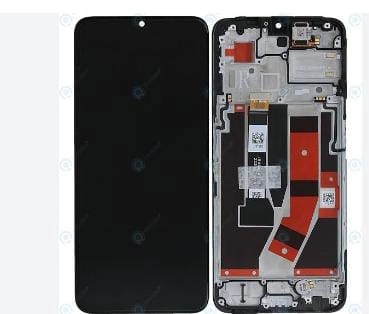
Realme Narzo 50 5g Prime Combo and Folder with Frame (100% Original)
Availability: In Stock
₹1,770
Seller Specification of Realme Narzo 50 5G Combo and Folder with Frame (100% Original)
Product Specifications
- Product Type: LCD Display + Touch Screen Combo with Frame
- Compatibility: Specifically designed for Realme Narzo 50 5G
- Material: High-quality LCD and digitizer touch screen
- Color Options: Available in Black, White, and Green
- Condition: Brand new, 100% original
Applications
- Screen Replacement: Ideal for replacing a broken, cracked, or scratched screen on the Realme Narzo 50 5G.
- Touch Functionality: Restores full touch functionality, ensuring smooth and responsive touch interactions.
- Display Quality: Maintains the original display quality, including brightness, color accuracy, and clarity.
- Cost-Effective Repair: Provides a cost-effective solution for repairing the Realme Narzo 50 5G without needing to purchase a new device.
- DIY Repairs: Suitable for users who prefer to perform DIY repairs, thanks to its easy installation process.
- Professional Repairs: Also ideal for professional technicians and repair shops looking for reliable replacement parts.
Installation
- Preparation: Ensure you have a clean, static-free workspace and the necessary tools (e.g., screwdrivers, plastic prying tools).
- Power Off: Turn off the Realme Narzo 50 5G and remove the SIM card tray.
- Disassembly: Carefully open the device using a plastic prying tool to avoid damaging the frame.
- Remove Old Screen: Disconnect the battery and remove the old, damaged screen by detaching the connectors.
- Install New Screen: Connect the new LCD and touch screen combo to the motherboard. Ensure all connectors are securely attached.
- Reassembly: Reassemble the device by reversing the disassembly steps. Make sure all screws are tightened and the frame is properly aligned.
- Testing: Power on the device and test the new screen for functionality, including touch responsiveness and display quality.
- Final Steps: Once confirmed, secure the screen and reinsert the SIM card tray.
For best results, it’s recommended to have the installation done by a professional technician, especially if you are not experienced with mobile device repairs. This ensures the screen is installed correctly and reduces the risk of damage to the device.
- New
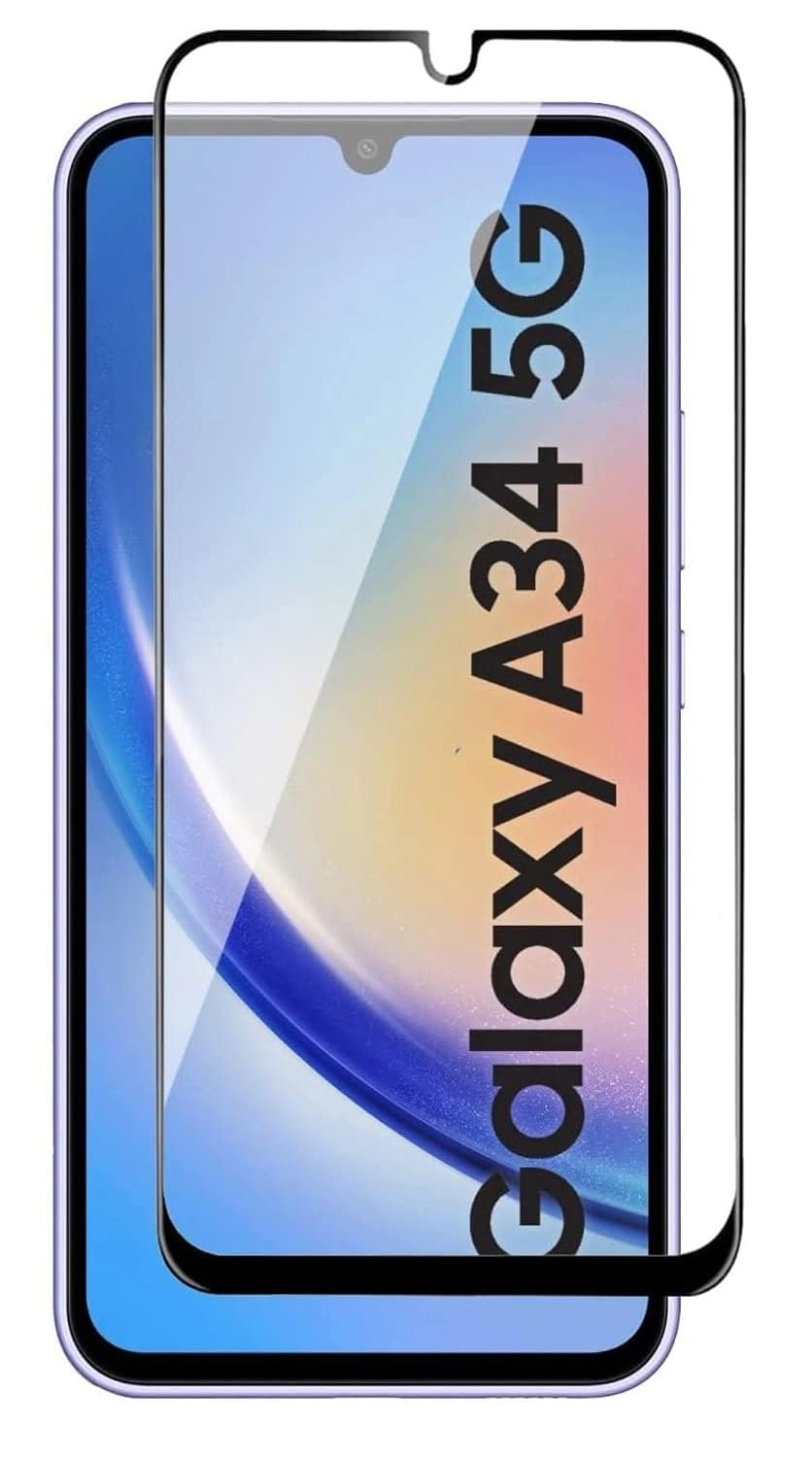
Samsung A34 5G Edge to Edge Tempered Glass
Availability: In Stock
₹51
Compatibility:
- Designed specifically for the Samsung A34 5G.
- Ensures a precise fit for the screen dimensions of both devices.
Material:
- Edge to Edge Tempered Glass:
- Offers high transparency (99.9%) for clear visuals.
- Maintains touch sensitivity without compromise.
- Resists scratches and minor impacts.
- Edge to Edge Tempered Glass:
Thickness:
- Ultra-thin design (around 0.3mm) for a natural touch experience.
- Bubble-free installation for hassle-free setup.
Features:
- Oleophobic Coating:
- Reduces fingerprints and smudges.
- Enhances screen clarity.
- HD Clarity:
- Retains the original display quality.
- Provides smooth touch response.
- Oleophobic Coating:
Protection:
- 9H Hardness:
- Guards against scratches, scuffs, and minor drops.
- Shields the screen from everyday wear and tear.
- 9H Hardness:
- New

Samsung A24/A25 Edge to Edge Tempered Glass
Availability: In Stock
₹51
Compatibility:
- Designed specifically for the Samsung A24 and A25.
- Ensures a precise fit for the screen dimensions of both devices.
Material:
- Edge to Edge Tempered Glass:
- Offers high transparency (99.9%) for clear visuals.
- Maintains touch sensitivity without compromise.
- Resists scratches and minor impacts.
- Edge to Edge Tempered Glass:
Thickness:
- Ultra-thin design (around 0.3mm) for a natural touch experience.
- Bubble-free installation for hassle-free setup.
Features:
- Oleophobic Coating:
- Reduces fingerprints and smudges.
- Enhances screen clarity.
- HD Clarity:
- Retains the original display quality.
- Provides smooth touch response.
- Oleophobic Coating:
Protection:
- 9H Hardness:
- Guards against scratches, scuffs, and minor drops.
- Shields the screen from everyday wear and tear.
- 9H Hardness:
- New

Samsung A35/A55 Edge to Edge Tempered Glass
Availability: In Stock
₹51
Compatibility:
- Designed specifically for the Samsung A35 and A55.
- Ensures a precise fit for the screen dimensions of both devices.
Material:
- Edge to Edge Tempered Glass:
- Offers high transparency (99.9%) for clear visuals.
- Maintains touch sensitivity without compromise.
- Resists scratches and minor impacts.
- Edge to Edge Tempered Glass:
Thickness:
- Ultra-thin design (around 0.3mm) for a natural touch experience.
- Bubble-free installation for hassle-free setup.
Features:
- Oleophobic Coating:
- Reduces fingerprints and smudges.
- Enhances screen clarity.
- HD Clarity:
- Retains the original display quality.
- Provides smooth touch response.
- Oleophobic Coating:
Protection:
- 9H Hardness:
- Guards against scratches, scuffs, and minor drops.
- Shields the screen from everyday wear and tear.
- 9H Hardness:
- New
Mobile Spare Parts: Repair and Upgrade Solutions
"Find quality spare parts for mobile phones. From screens to batteries, we have everything you need to repair or upgrade your device. Shop now!"

